In our previous posts we have seen how to Embedd an Word Document in Excel Object . Now let us try to read Excel spreadsheet embedded in Word document.
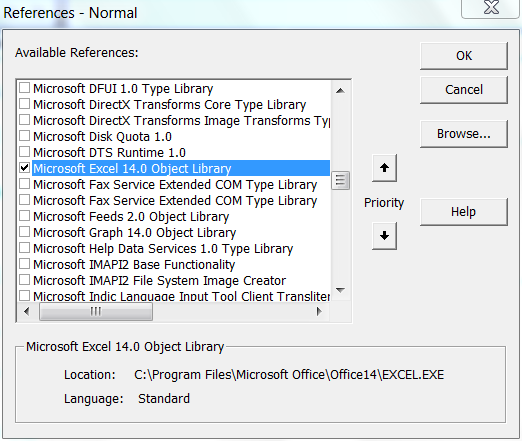 Excel Object Libarary Reference
You need to add a reference to the Excel Object Libary as shown above from Tools --> References from Visual Basic Editor (VBE)

The code loops through the available InlineShapes and activates them if they are Excel Spreadsheet. Then it is assigned to an Excel workbook object, which can be programatically handled.
Sub Edit_Embedded_Excel_Objects()

Dim oWB As Excel.Workbook
Dim oIShape As InlineShape


For Each oIShape In ActiveDocument.InlineShapes
    If InStr(1, oIShape.OLEFormat.ProgID, "Excel") Then
        oIShape.OLEFormat.Activate
        Set oWB = oIShape.OLEFormat.Object
        oWB.Sheets(1).Range("A1").Value = "ProdID"
    End If
Next oIShape

End Sub
The code edits the value of the cell as shown below:
 Edited Embedded Object using VBA
See how other Embedded objects are programmed


 Posts
Posts


